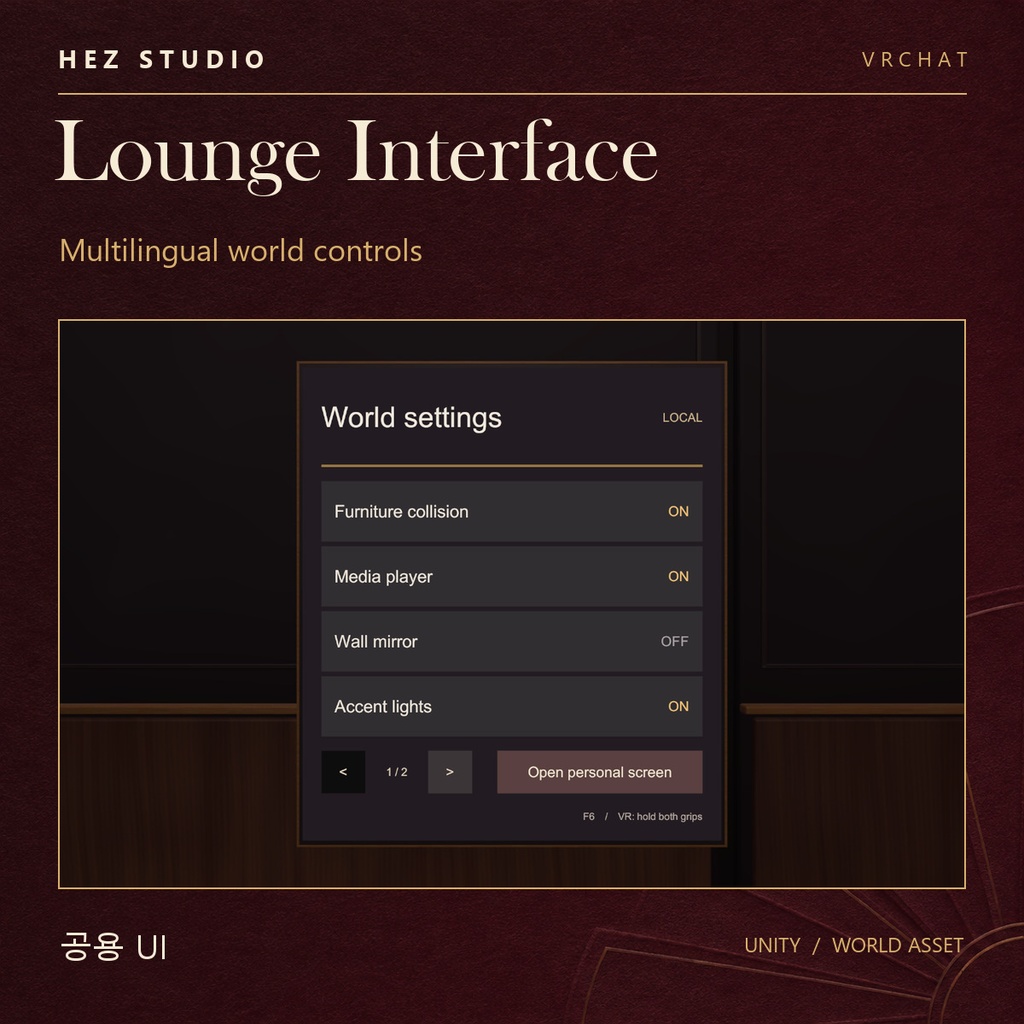
【無料・VRChat】Lounge Interface|日英韓対応・多言語UI
- ダウンロード商品¥ 0無料ダウンロードHEZ-LoungeInterface-v0.1.1.zip(3.29 MB)HEZ-LoungeInterface-v0.1.1.zip
Lounge Interface | HEZ STUDIO v0.1.1 · 無料 / 무료 / Free
【日本語】
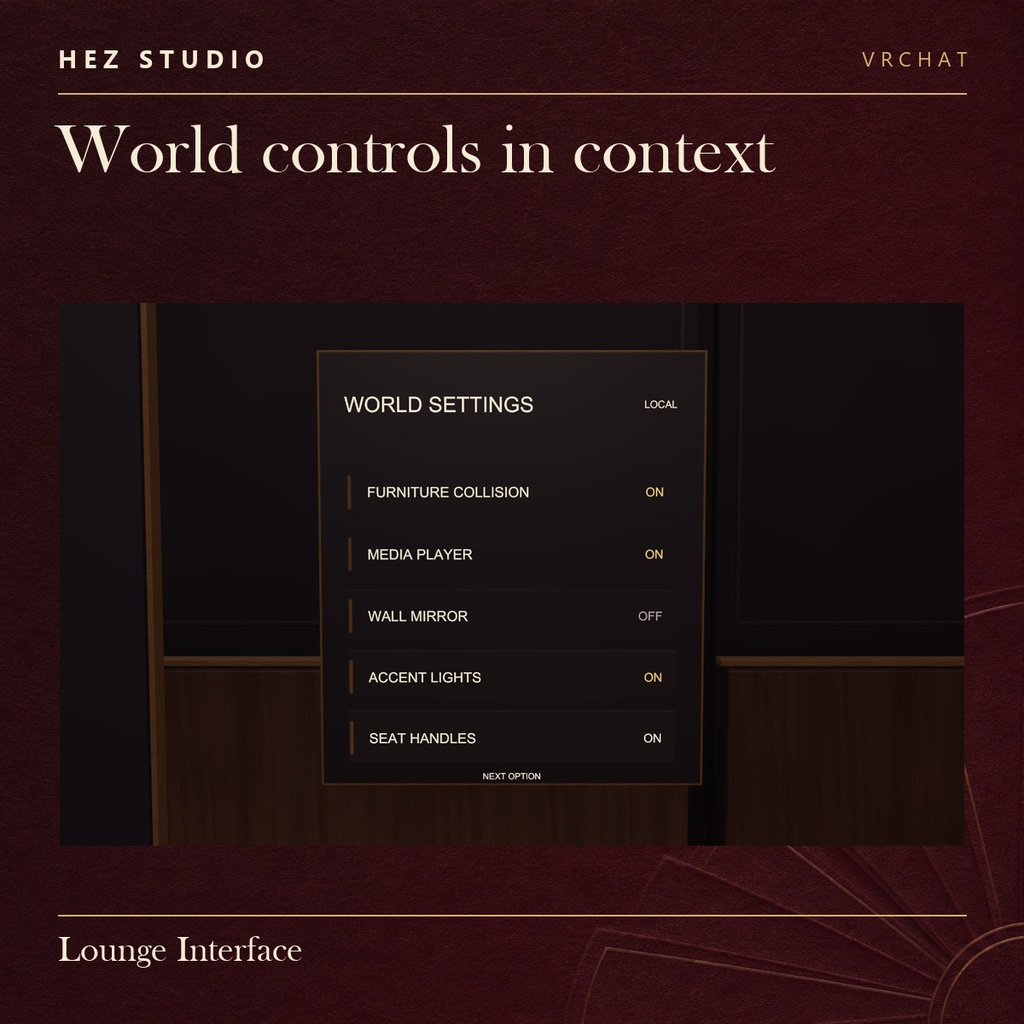
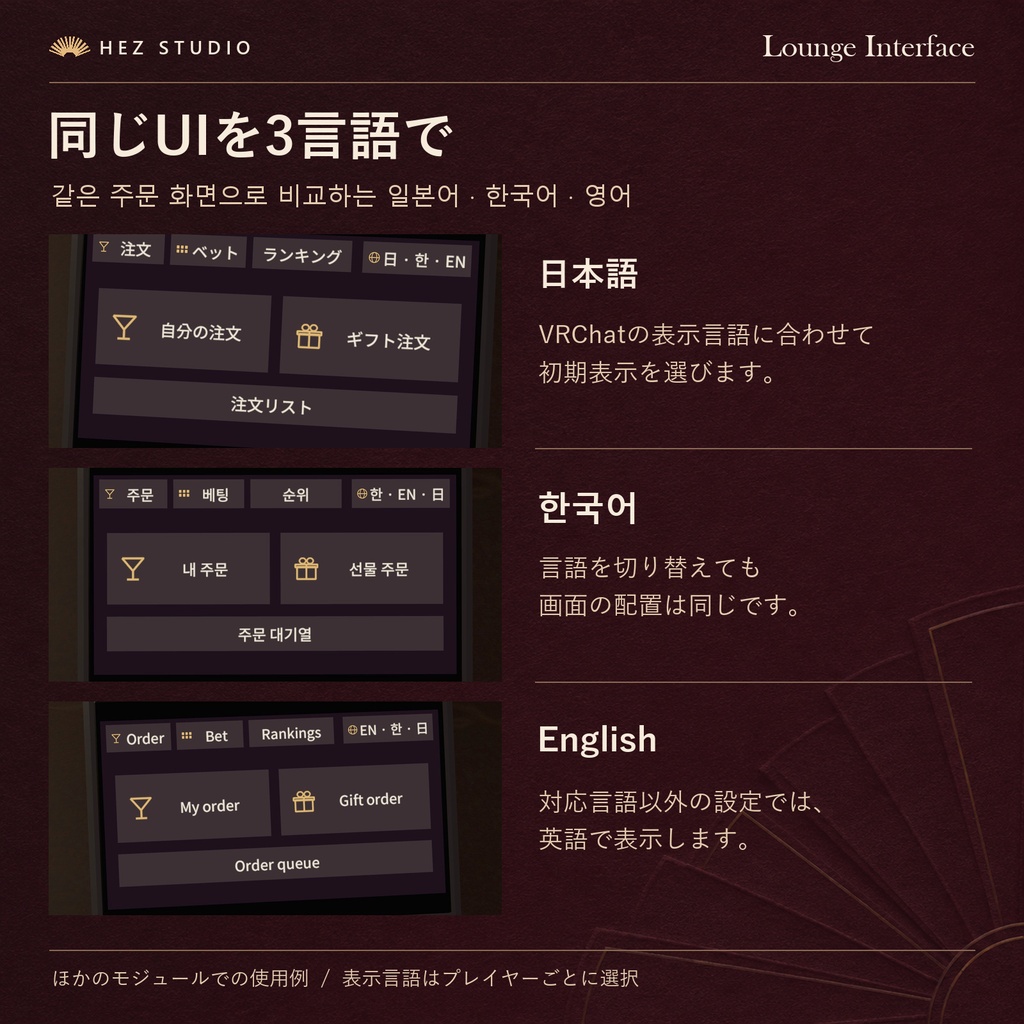
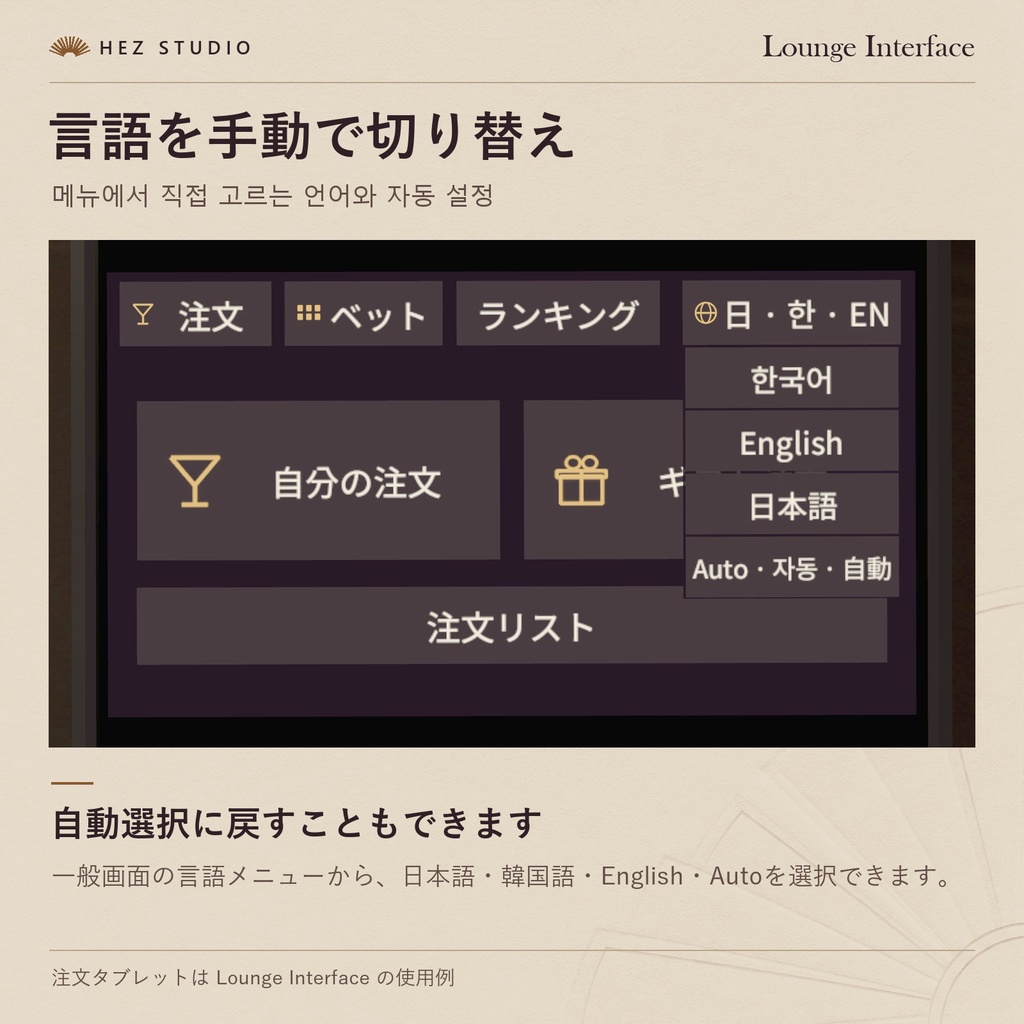
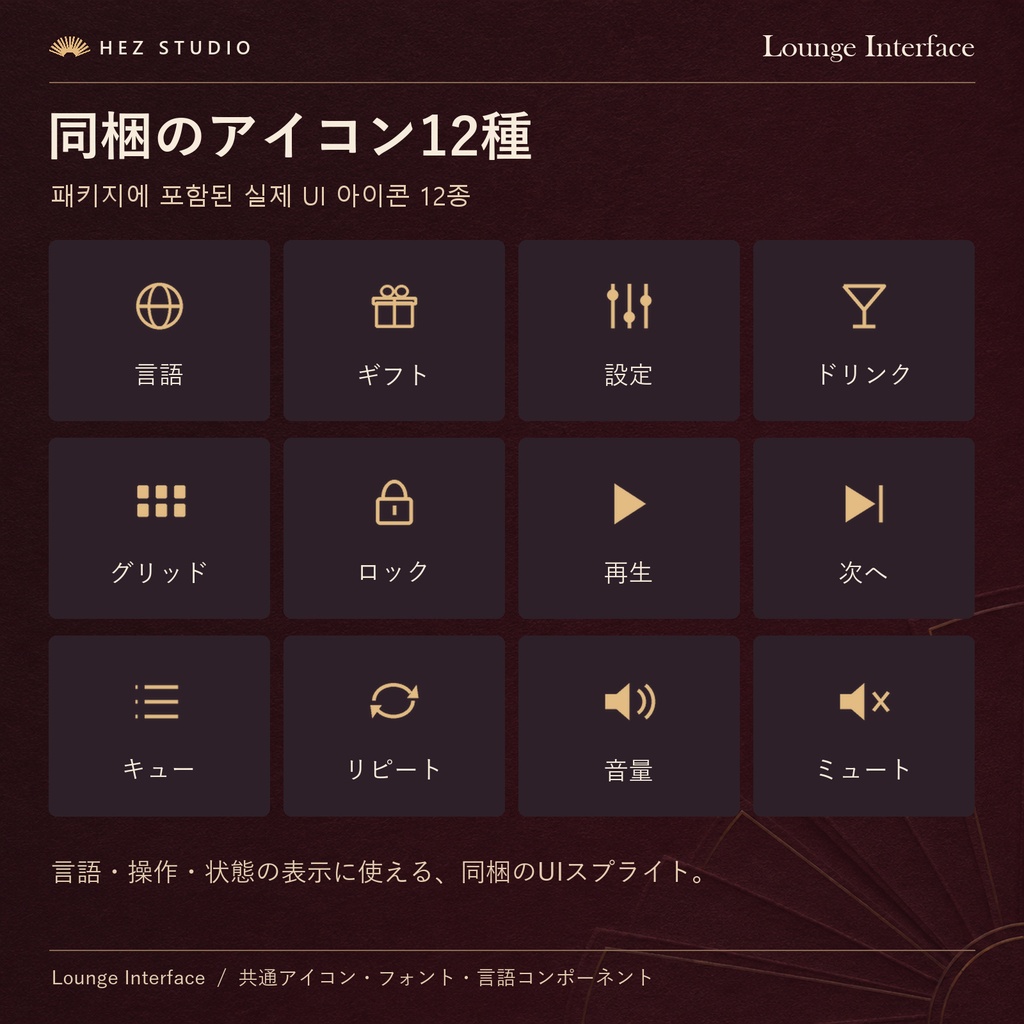
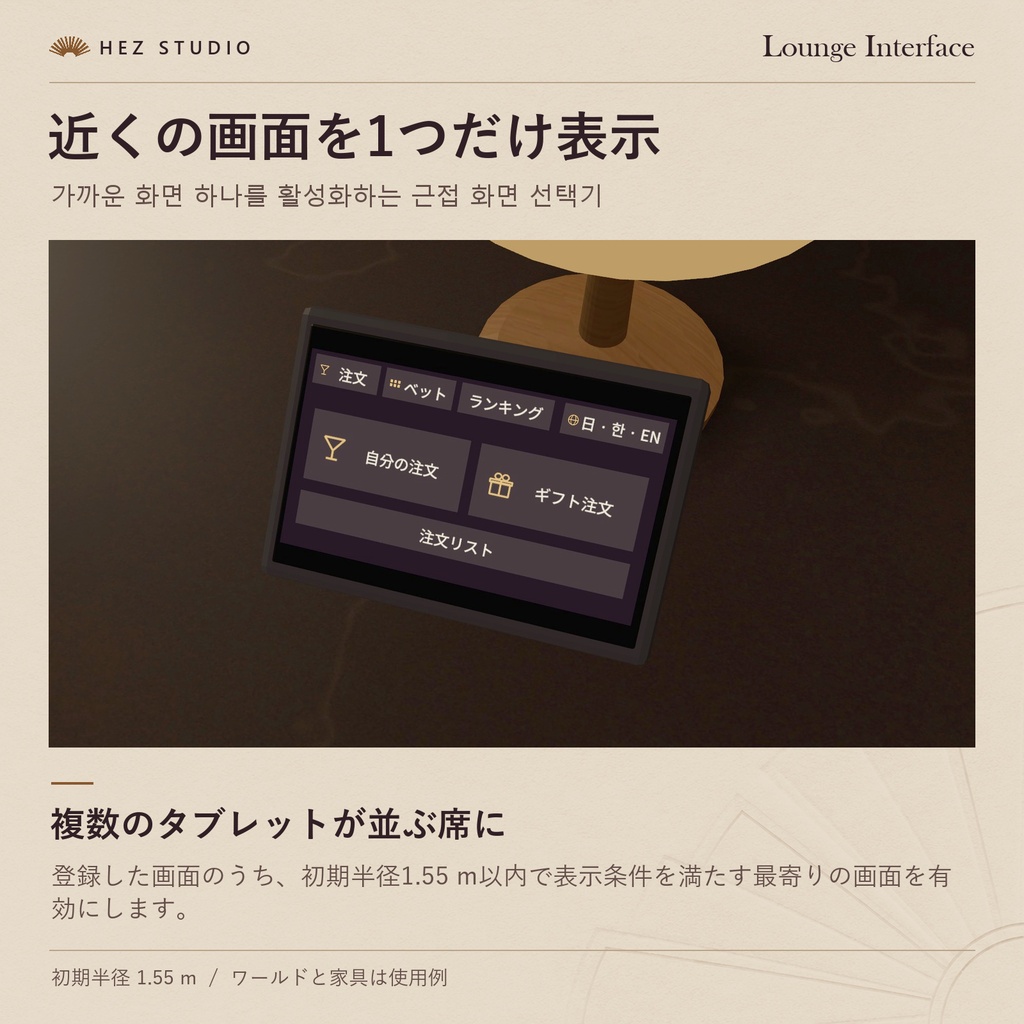
「同じワールドで、それぞれの言語を。」 VRChatワールド向けの、日本語・韓国語・英語に対応した無料の多言語UIモジュールです。 同じテーブルを囲んでいても、プレイヤーごとに自分の読みやすい言語でUIを操作できます。 VRChatの表示言語に合わせた言語選択に加え、ワールド内の言語切替ボタンから手動で変更することもできます。 さらに、複数のタブレットが配置されたワールドでも、最寄りのタブレットだけを表示する機能を収録しています。 バー、カフェ、ラウンジ、イベントワールドなど、多言語対応のインターフェースを導入したいワールド制作者向けの無料アセットです。 ■ v0.1.1 の更新内容 パネルのボタンを押した本人にだけクリック音が鳴り、トグルのオン・オフはラベルの色で確認できます。既存のUIパネルにもUnityのメニューから追加できます。 Lounge Interfaceは無料で単体利用できます。Counter Service v0.1.1 単品を新規導入する場合も、v0.1.0から更新する場合も、先にLounge Interface v0.1.1をインポートしてください。 【収録されている機能】 ・日本語・韓国語・英語の切替 ・VRChatの表示言語に合わせた言語選択 ・ワールド内での手動言語切替 ・近くのタブレットやキオスクの画面をプレイヤーごとに表示 ・UIアイコン、フォント、言語切替コンポーネント ※ ドリンク注文はCounter Service、ギフトやルーレットベットは各拡張モジュールで追加できます。 ※ ほかのHEZ製品の説明に記載されている「Lounge UI」は、本商品「Lounge Interface」を指します。 ■ 主な機能 【日本語・韓国語・英語対応】 ・日本語(Japanese) ・韓国語(Korean) ・英語(English) 同じワールド内でも、プレイヤーごとに異なる言語でUIを表示できます。 【言語切替】 ・VRChatの表示言語に合わせた言語選択 ・ワールド内のボタンから手動切替 ・各プレイヤーが自分の言語を選択可能 【タブレット・キオスクの近接表示】 NearestLoungeScreenのScreensに、まとめて切り替えたい画面を登録します。 登録した画面に正面から近づくと、表示範囲内で最も近い1台だけが表示されます。範囲を離れると画面は消えます。初期設定は1.55 mです。 バーの客席に並ぶタブレットや、壁際に並べたキオスクに使えます。 【ワールド制作用UI素材】 ・言語切替コンポーネント ・UIアイコン ・UIフォント ・翻訳キーを利用した表示ラベルの管理 ■ 収録内容 ・LoungeLanguageView コンポーネント ・言語切替機能 ・UIアイコン ・UIフォント ・近接表示コンポーネント(NearestLoungeScreen) ・クリック音、トグルのラベル色を切り替えるコンポーネント、パネル用設定ツール ・導入ガイド ■ 導入方法 VRChat Creator Companion(VCC)でWorldsプロジェクトを開き、HEZ-LoungeInterface-v0.1.1.zipを展開します。 Unityの Assets → Import Package → Custom Package から、同梱の .unitypackage をインポートします。ほかのHEZ製品の前提として使う場合は、続けてその製品をインポートします。 自作のUIを多言語化する場合は、対象の画面にLoungeLanguageViewを追加します。 LabelsとKeysに、表示ラベルと対応する翻訳キーを同じ順番で登録します。 クリック音とトグルの色を使う場合は、シーン内のパネルを選び、GameObject → HEZ STUDIO → Add button feedback to selected panel を実行します。VRChatで言語切替とボタンの反応を確認してください。 詳しい導入手順は付属のSTART-HERE.txtをご確認ください。 ■ Lounge Interfaceを使用するHEZ製品 本商品は、以下のHEZ STUDIO製品で共通UIモジュールとして使用されています。 【Seat Slide — 座席位置調整ギミック】 既存のVRC Stationに追加できる、3段階の座席位置調整ギミックです。 https://hezdqma.booth.pm/items/9195391 【Lounge Media Player — 同期動画プレイヤー】 最大8件の動画キュー、個別音量調整、イベント操作ロックに対応した同期動画プレイヤーです。 https://hezdqma.booth.pm/items/9195392 【Counter Service — ドリンク注文・提供システム】 お客様が席のタブレットや縦型キオスクから注文し、スタッフがドリンクを準備・提供する接客システムです。 https://hezdqma.booth.pm/items/9195394 【HEZ Kiosk】 「Counter Service Edition」にはLounge Interface v0.1.1とCounter Service v0.1.1が同梱されています。筐体を置くだけの「モデル単体」は、Lounge Interfaceなしで使用できます。 https://hezdqma.booth.pm/items/9207789 ※ 各製品は別売です。必要なモジュールや導入条件は、それぞれの商品ページをご確認ください。 ■ 完成ワールドについて Lounge Interfaceを含む、バー・ドリンク注文・ギフト・ルーレットなどのシステムをまとめて導入したい方には、フルセットをご用意しています。 Salon HEZ Casino Lounge Full https://hezdqma.booth.pm/items/9195383 ワールド本体と全7モジュール、接続済みの完成シーンを収録しています。
【한국어】
"같은 월드에서, 각자 편한 언어로." VRChat 월드를 위한 한국어·일본어·영어 지원 무료 다국어 UI 모듈입니다. 같은 테이블에 앉아 있는 사용자라도 각자 원하는 언어로 UI를 이용할 수 있습니다. VRChat 표시 언어에 맞춰 언어를 선택하고, 월드 안의 언어 전환 버튼을 이용해 수동으로 변경할 수도 있습니다. 또한 여러 태블릿이 배치된 월드에서 가장 가까운 태블릿 하나만 표시하는 기능도 제공합니다. 바, 카페, 라운지, 이벤트 월드 등에서 다국어 인터페이스를 구현하려는 월드 제작자를 위한 무료 에셋입니다. ■ v0.1.1 업데이트 버튼을 누른 사람에게만 클릭음이 들리고, 토글의 켜짐·꺼짐 상태는 라벨 색상으로 확인할 수 있습니다. 기존 UI 패널에도 Unity 메뉴에서 이 기능을 추가할 수 있습니다. Lounge Interface는 무료이며 단독으로 사용할 수 있습니다. Counter Service v0.1.1 단품을 처음 설치하거나 v0.1.0에서 업데이트할 때는 Lounge Interface v0.1.1을 먼저 임포트하세요. 【포함된 기능】 ・한국어·일본어·영어 전환 ・VRChat 표시 언어에 맞춘 언어 선택 ・월드 내 수동 언어 전환 ・플레이어마다 가까운 태블릿이나 키오스크 화면 표시 ・UI 아이콘, 폰트 및 언어 전환 컴포넌트 ※ 음료 주문은 Counter Service로, 선물이나 룰렛 베팅은 해당 확장 모듈로 추가할 수 있습니다. ※ 다른 HEZ 상품에서 필수 에셋으로 안내하는 'Lounge UI'는 본 상품 'Lounge Interface'를 의미합니다. ■ 주요 기능 【한국어·일본어·영어 지원】 ・한국어 (Korean) ・일본어 (Japanese) ・영어 (English) 같은 월드에서도 사용자마다 서로 다른 언어로 UI를 표시할 수 있습니다. 【언어 전환】 ・VRChat 표시 언어에 맞춘 언어 선택 ・월드 내 버튼으로 수동 전환 ・사용자별 독립적인 언어 선택 【태블릿·키오스크 근접 표시】 함께 전환할 화면을 NearestLoungeScreen의 Screens 목록에 등록합니다. 등록한 화면에 정면으로 다가가면 표시 범위 안에서 가장 가까운 화면 하나가 켜집니다. 범위를 벗어나면 꺼집니다. 기본 거리는 1.55m입니다. 바 좌석마다 설치한 태블릿이나 벽을 따라 배치한 키오스크에 사용할 수 있습니다. 【월드 제작용 UI 구성】 ・언어 전환 컴포넌트 ・UI 아이콘 ・UI 폰트 ・번역 키를 이용한 표시 라벨 관리 ■ 포함 구성 ・LoungeLanguageView 컴포넌트 ・언어 전환 기능 ・UI 아이콘 ・UI 폰트 ・근접 표시 컴포넌트(NearestLoungeScreen) ・클릭음, 토글 라벨 색상 컴포넌트, 패널 설정 도구 ・설치 및 사용 안내 ■ 설치 방법 VRChat Creator Companion(VCC)에서 Worlds 프로젝트를 열고 HEZ-LoungeInterface-v0.1.1.zip의 압축을 풉니다. Unity의 Assets → Import Package → Custom Package에서 동봉된 .unitypackage를 임포트합니다. 다른 HEZ 상품의 필수 에셋으로 설치한다면 이어서 해당 상품을 임포트하세요. 직접 만든 UI를 다국어로 표시하려면 화면에 LoungeLanguageView를 추가합니다. Labels와 Keys에 표시할 라벨과 해당 번역 키를 같은 순서로 등록합니다. 클릭음과 토글 색상을 적용하려면 씬에서 패널을 선택하고 GameObject → HEZ STUDIO → Add button feedback to selected panel을 실행하세요. VRChat에서 언어 전환과 버튼 반응을 확인할 수 있습니다. 자세한 설치 방법은 동봉된 START-HERE.txt를 참고해 주세요. ■ Lounge Interface를 사용하는 HEZ 상품 본 상품은 다음 HEZ STUDIO 제품에서 공통 UI 모듈로 사용됩니다. 【Seat Slide — 좌석 위치 조절 기믹】 기존 VRC Station에 추가할 수 있는 3단계 좌석 위치 조절 기믹입니다. https://hezdqma.booth.pm/items/9195391 【Lounge Media Player — 동기화 영상 플레이어】 영상 대기열 최대 8개, 개인별 음량 조절, 이벤트 조작 잠금을 지원하는 영상 플레이어입니다. https://hezdqma.booth.pm/items/9195392 【Counter Service — 음료 주문·제공 시스템】 손님이 좌석 태블릿이나 세로형 키오스크에서 주문하고 직원이 음료를 준비해 제공하는 접객 시스템입니다. https://hezdqma.booth.pm/items/9195394 【HEZ Kiosk】 Counter Service Edition에는 Lounge Interface v0.1.1과 Counter Service v0.1.1이 함께 들어 있습니다. 본체만 배치하는 Model Edition은 Lounge Interface 없이 사용할 수 있습니다. https://hezdqma.booth.pm/items/9207789 ※ 각 상품은 별도 판매하며, 필요한 모듈과 설치 조건은 각 상품 페이지에서 확인해 주세요. ■ 완성형 월드 패키지 Lounge Interface를 포함한 바, 음료 주문, 선물, 룰렛 등의 기능을 모두 이용하고 싶다면 다음 상품을 확인해 주세요. Salon HEZ Casino Lounge Full https://hezdqma.booth.pm/items/9195383 월드 본체와 모듈 7종, 연결 완료된 씬을 포함하고 있습니다.
【English】
"One world, your preferred language." A free multilingual UI module for VRChat worlds, supporting Japanese, Korean and English. Players sharing the same table can use the interface in their preferred languages. The module selects a supported language based on each player's VRChat display language and also allows manual switching using in-world language buttons. It also includes functionality for displaying only the nearest tablet in worlds with multiple tablet interfaces. Designed for VRChat world creators building bars, cafés, lounges and multilingual social environments. ■ What’s new in v0.1.1 Buttons can now play a click that only the person pressing them hears. Toggle labels change color to show whether a setting is on or off. You can add both features to an existing UI panel from the Unity menu. Lounge Interface is free to use on its own. If you are installing the standalone Counter Service v0.1.1 or upgrading it from v0.1.0, import Lounge Interface v0.1.1 first. 【Included Features】 ・Japanese, Korean and English language switching ・Language selection based on VRChat display settings ・Manual in-world language switching ・Per-player proximity display for tablets and kiosks ・UI icons, fonts and language components ※ Counter Service adds drink ordering. Gifting and roulette betting are available through their respective extensions. ※ "Lounge UI" mentioned in other HEZ product instructions refers to this product, Lounge Interface. ■ Main Features 【Multilingual Support】 ・Japanese ・Korean ・English Players in the same world can use interfaces in different languages. 【Language Selection】 ・Language selection based on VRChat settings ・Manual language switching ・Independent language selection for each player 【Tablet and kiosk proximity】 Add the screens you want to control together to the Screens list on NearestLoungeScreen. For each player, it shows the nearest registered screen within range when the player is on its front side. When the player leaves the area, the screen turns off. The default range is 1.55 m. Use it for tablets at neighboring seats or a row of kiosks along a wall. 【UI Resources for World Creators】 ・Language switching components ・UI icons ・UI fonts ・Display label management using translation keys ■ Included Contents ・LoungeLanguageView component ・Language switching functionality ・UI icons ・UI fonts ・NearestLoungeScreen proximity component ・Button click sound, toggle label color component and panel setup tool ・Setup instructions ■ Installation Open a Worlds project in VRChat Creator Companion (VCC) and unzip HEZ-LoungeInterface-v0.1.1.zip. In Unity, choose Assets → Import Package → Custom Package and import the included .unitypackage. If another HEZ product requires Lounge Interface, import that product next. To localize your own UI, add LoungeLanguageView to the screen. Assign each label and its translation key in matching order under Labels and Keys. To add click sounds and toggle colors, select the panel in the scene and choose GameObject → HEZ STUDIO → Add button feedback to selected panel. Test the language switch and buttons in VRChat. See the included START-HERE.txt for detailed setup instructions. ■ HEZ Products Using Lounge Interface Lounge Interface serves as a shared UI module for the following HEZ STUDIO products. 【Seat Slide — Seat Adjustment Gimmick】 Adds three-position seat adjustment to existing VRC Stations. https://hezdqma.booth.pm/items/9195391 【Lounge Media Player — Synchronized Video Player】 A synchronized video player supporting up to eight queued videos, individual volume controls and event control locking. https://hezdqma.booth.pm/items/9195392 【Counter Service — Drink Ordering & Service】 Guests order from a table tablet or portrait kiosk, and staff prepare and serve their drinks. https://hezdqma.booth.pm/items/9195394 【HEZ Kiosk】 The Counter Service Edition includes both Lounge Interface v0.1.1 and Counter Service v0.1.1. You can place the kiosk from the Model Edition on its own without installing Lounge Interface. https://hezdqma.booth.pm/items/9207789 ※ These products are sold separately. Please check their product pages for installation requirements. ■ Complete World Package For creators who want a complete bar world with Lounge Interface, drink ordering, gifting, roulette and other integrated systems: Salon HEZ Casino Lounge Full https://hezdqma.booth.pm/items/9195383 Includes the world base, all seven modules and a fully connected scene.
-
━━━━━━━━━━━━━━━━━━━━ 動作確認環境 / 검증 환경 / Tested With ━━━━━━━━━━━━━━━━━━━━ Windows PC Unity 2022.3.22f1 · Built-in Render Pipeline VRChat Worlds SDK 3.10.6 (UdonSharp) ━━━━━━━━━━━━━━━━━━━━ 配布形式 / 배포 형식 / Download ━━━━━━━━━━━━━━━━━━━━ HEZ-LoungeInterface-v0.1.1.zip · .unitypackage START-HERE.txt (日本語 / 한국어 / English) ━━━━━━━━━━━━━━━━━━━━ 公開体験ワールド / 공개 체험 월드 / Public Demo World ━━━━━━━━━━━━━━━━━━━━ HEZ STUDIO Showroom